Contents
When a child starts showing interest in the piano, downloading an app is often one of the first things parents try. Search for "piano app for kids" and you will find dozens of options: bright colours, friendly characters, stars and trophies. But an app being labelled "educational" does not mean your child will actually learn something from it.
In this article we have put together the questions worth asking when you evaluate a piano app. The goal is to help you make a choice that fits your child's age, your family's values and your musical goals.
1. Age-appropriate design
A well-designed app for young children is simple enough that a child who cannot read yet can still find their way around. Instructions are spoken, buttons are large and there is very little on the screen at any one time.
A few questions help you judge whether an app fits your child's age. Does your child understand what to do on the first screen? Do the tasks suit their finger control and attention span? Does the app state a clear age range? The cards below give a rough idea, and every child moves at their own pace.
Exploring
Tapping to make sounds, matching colours and games that last a few minutes are plenty. Spoken guidance is essential at this age.
Short tasks
Following simple melodies and telling the right hand from the left. A single level should not last more than a few minutes.
First reading
Steps that lead from colours and shapes towards notation start to make sense now. Practice on a real keyboard becomes more important.
Independence
Longer pieces and playing with both hands. The app becomes a companion to work done with a teacher or parent.
If you are wondering when to begin, our article on what age to start piano looks at this in more detail.
2. Ads, in-app purchases and privacy
Advertising is far more common in apps for young children than many parents expect. A content analysis of popular apps used by children aged five and under found at least one type of advertising in the vast majority of them. These included pop-ups that interrupted play, hidden ads disguised as game items and prompts to make in-app purchases (Meyer et al., 2019).
Children's data is a separate concern. A large-scale study of thousands of popular free children's apps found that a majority were potentially in violation of the US law that protects children's privacy online, mainly because of the third-party software components built into them (Reyes et al., 2018). That is why it is a good habit to read the privacy information on an app's store page.
- Are there ads in the app? Check the free and the paid versions separately.
- Are purchase screens behind a parental gate, or can your child tap on them?
- Do characters nudge your child with messages such as "buy this to keep playing"?
- Does the privacy section in the store clearly say what data is collected?
- Does the app ask for an account, an email address or a location, and does it really need them?
3. Short levels, clear goals, calm feedback
An influential review of educational apps describes four conditions under which children learn best: they are mentally active, engaged without being distracted, learning something meaningful to their own lives, and interacting with other people. All four work best when they are tied to a clear learning goal (Hirsh-Pasek et al., 2015). A later study used the same framework to score the most downloaded educational apps for young children and found that most of them scored low on these criteria (Meyer et al., 2021).
Applied to a piano app, this means each level should have one clear, understandable goal. Your child should be able to notice what they are learning, for example which colour belongs to which key or which hand is playing. Levels should be short, so that your child can enjoy finishing something before their attention runs out.
Feedback matters too. A small sign of approval after a correctly played key is motivating. Confetti on every tap, constant sound effects and moving objects in every corner of the screen, on the other hand, pull attention away from the music. In a good app, the real reward is being able to play a familiar song from beginning to end.
4. Moving to a real keyboard and to notation
Perhaps the most important test of a piano app is what it leaves behind once the screen is off. Can your child repeat on a real keyboard or piano what they learned on the tablet? Do the keys on the screen reflect the layout of a real keyboard?
The second question is where the app is taking your child. Colours, shapes and characters are an excellent starting point for young children, but they should work as a bridge. A well-designed method brings children step by step towards notation through the same songs, so that a child learns to read a familiar tune in a new way.
- Does the on-screen keyboard follow the pattern of white and black keys on a real keyboard?
- Does the app distinguish between the right hand and the left hand?
- Can the songs learned in the app also be played on a real keyboard?
- Is there a clear path from colours and shapes towards notation?
We explain how to make progress with a real keyboard in our guide to teaching your child piano at home, and how to choose an instrument in our piano guide.
5. Screen time, parent involvement and language
Even the best app does not make the screen time question go away. The American Academy of Pediatrics recommends that children aged 2 to 5 have about one hour a day of screen use at most, limited to high-quality content. It also encourages parents to watch or use that content together with their child (Council on Communications and Media, 2016). The World Health Organization's 2019 guidance for young children likewise stresses keeping sedentary screen time short for preschoolers, and notes that less is better.
In practice, this means using a piano app in short, regular sessions rather than long ones. Ten minutes on the app, a few minutes on a real keyboard and then switching the screen off is a good rhythm for most young children. Sitting next to your child, singing along and saying "now you play it for me" turns the app into shared music time.
Language deserves attention as well. Spoken instructions are essential for a child who cannot read yet, and they need to be in a language your child understands. In multilingual families, an app with language options lets a child learn in the language spoken at home or in a language they are just picking up.
6. How does First Steps of a Little Artist measure up?
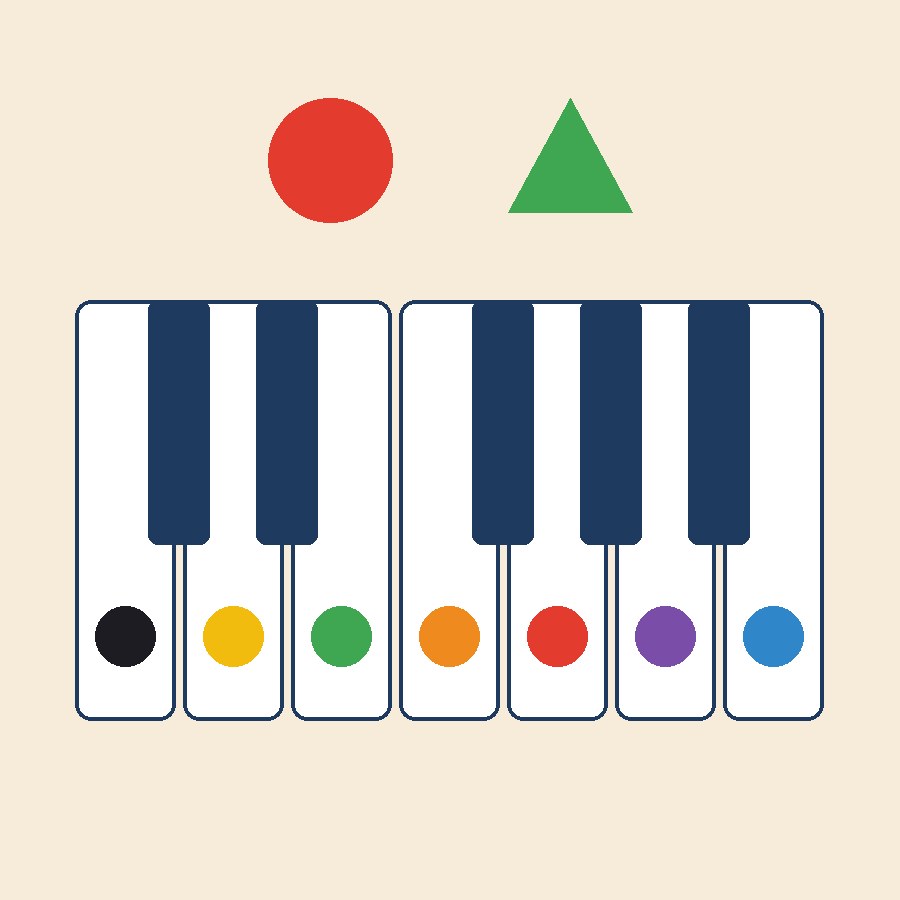
We use this checklist for our own app too. First Steps of a Little Artist is built on an early childhood music education method that starts with colours and shapes and moves step by step towards notation. In the method, seven colours match the seven white keys on the keyboard. A circle stands for the right hand and a triangle for the left hand, and the left hand plays one octave lower. This way, a child can take what they learn on the screen to a real keyboard.
- It is free and contains no ads.
- It is designed for children aged 2.5 and up.
- It is made up of short levels guided by a Mozart character.
- Voice guidance is available in 7 languages.
- It runs on iPhone, iPad and Android devices.
- It starts with colours and shapes and moves step by step towards notation with the same songs.
The method has been developed with young children for more than 12 years, first in the United States and then in Istanbul, and the app is now used in 58 countries. Still, the right choice can be different for every family. We encourage you to ask the questions above about our app as well, to read the privacy information on its store page and to do the first session together with your child. If you would like to see how the method works, you can try the demo song.
Play a first song together
We made a demo song you can try right away in your browser. The app is free on iPhone, iPad and Android.
Open the demo songFrequently asked questions
What is the best piano app for kids?
There is no single right answer; the best app is the one that fits your child's age and your goals. Good signs are no ads, spoken instructions, short levels and support for moving to a real keyboard.
Are free apps for kids safe?
Being free is not a problem in itself, but some free apps make money through advertising or data sharing. Reading the privacy information on the store page and trying the app yourself first is a good place to start.
How long should a young child use a piano app each day?
Short sessions work best for preschoolers, and around ten minutes is enough for most children. International guidance recommends keeping total screen time short at this age and using content together with a parent.
Can a piano app replace a teacher?
An app can be a good support for regular practice and first steps, but it does not replace the personal feedback a teacher or parent gives. The best results come when the app is combined with practice on a real keyboard and making music together.
Can a child who starts with an app move on to reading notation?
That depends on the app's method. A structure that starts with colours and shapes and moves step by step towards notation through the same songs makes this transition natural and clear for a child.
References
- Council on Communications and Media. (2016). Media and young minds. Pediatrics, 138(5), e20162591. doi:10.1542/peds.2016-2591
- Hirsh-Pasek, K., Zosh, J. M., Golinkoff, R. M., Gray, J. H., Robb, M. B., & Kaufman, J. (2015). Putting education in “educational” apps: Lessons from the science of learning. Psychological Science in the Public Interest, 16(1), 3–34. doi:10.1177/1529100615569721
- Meyer, M., Adkins, V., Yuan, N., Weeks, H. M., Chang, Y.-J., & Radesky, J. (2019). Advertising in young children’s apps: A content analysis. Journal of Developmental & Behavioral Pediatrics, 40(1), 32–39. doi:10.1097/DBP.0000000000000622
- Meyer, M., Zosh, J. M., McLaren, C., Robb, M., McCaffery, H., Golinkoff, R. M., Hirsh-Pasek, K., & Radesky, J. (2021). How educational are “educational” apps for young children? App store content analysis using the Four Pillars of Learning framework. Journal of Children and Media, 15(4), 526–548. doi:10.1080/17482798.2021.1882516
- Reyes, I., Wijesekera, P., Reardon, J., Elazari Bar On, A., Razaghpanah, A., Vallina-Rodriguez, N., & Egelman, S. (2018). “Won’t somebody think of the children?” Examining COPPA compliance at scale. Proceedings on Privacy Enhancing Technologies, 2018(3), 63–83. doi:10.1515/popets-2018-0021
Related articles
What age should a child start piano?
Readiness signs, what to expect at each age and how long to practise: a calm guide to the best age to start piano.
Read the article →
How to teach your child piano at home, even without a musical background
What you need, a 10-minute daily plan, a sample first week and common mistakes, for parents with no musical background.
Read the article →
Do music lessons make children smarter?
Do music lessons raise a child's IQ? From the Mozart effect to brain imaging studies, a plain-language summary of research on early music education and children's intelligence.
Read the article →
Dr. Erman Türkili
Creator of the colour- and shape-based piano method. Faculty member at Bahçeşehir University Conservatory.
Member of the European Academy of Sciences and Arts